Integrations
Works with the systems you already run.
AnswerStack starts with your CRM and calendars, then reaches as far into your business as you allow: tools from your own systems on the call, and the AI assistants your team already uses. Each one approved by a person first.
CRM and calendars
Everything it learns lands where your team already works.
Returning families are found, new ones saved, every conversation logged, and tours booked on real calendars. Pick the connections that fit.
WelcomeHome
Built in. Finds families by phone or email, creates prospects with the right relationships, logs calls as activities, books tours on the counselor’s calendar, and honors do-not-call and do-not-text.
Google Calendar
A shared booking calendar, or each rep’s own calendar with their real free and busy times.
Microsoft 365
Each rep’s own Outlook calendar, or a shared booking calendar or shared mailbox. Work and school accounts.
A signed webhook
Contacts, call logs and follow-up tasks sent to any address you choose, signed so you know they came from us.
Any CRM with an MCP server
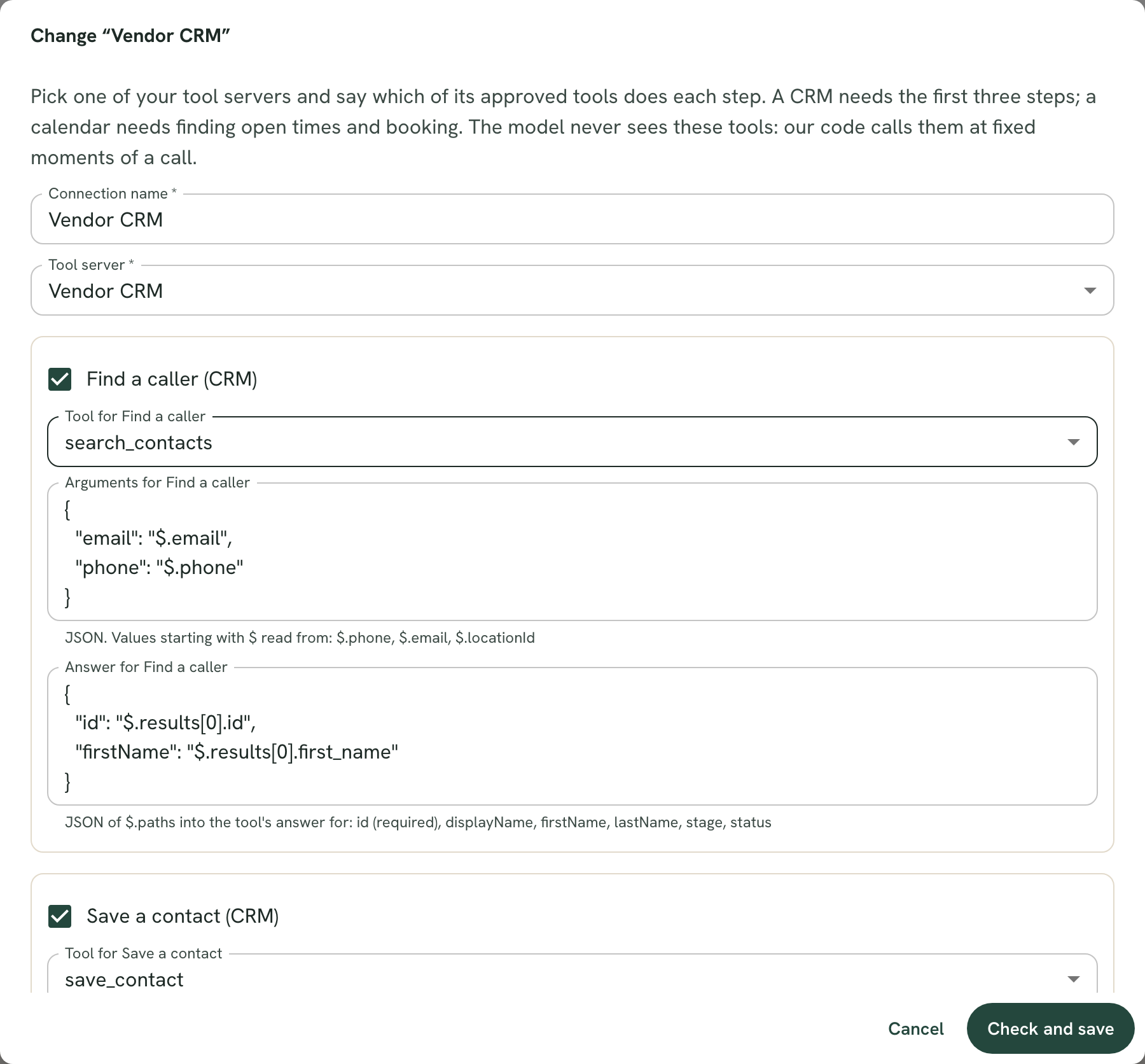
Map each step (find a caller, save a contact, log a call, find open times, book) to one of your vendor’s tools, with a guided test before a single call relies on it.
Tools on the call
Let the agent check your systems while it talks.
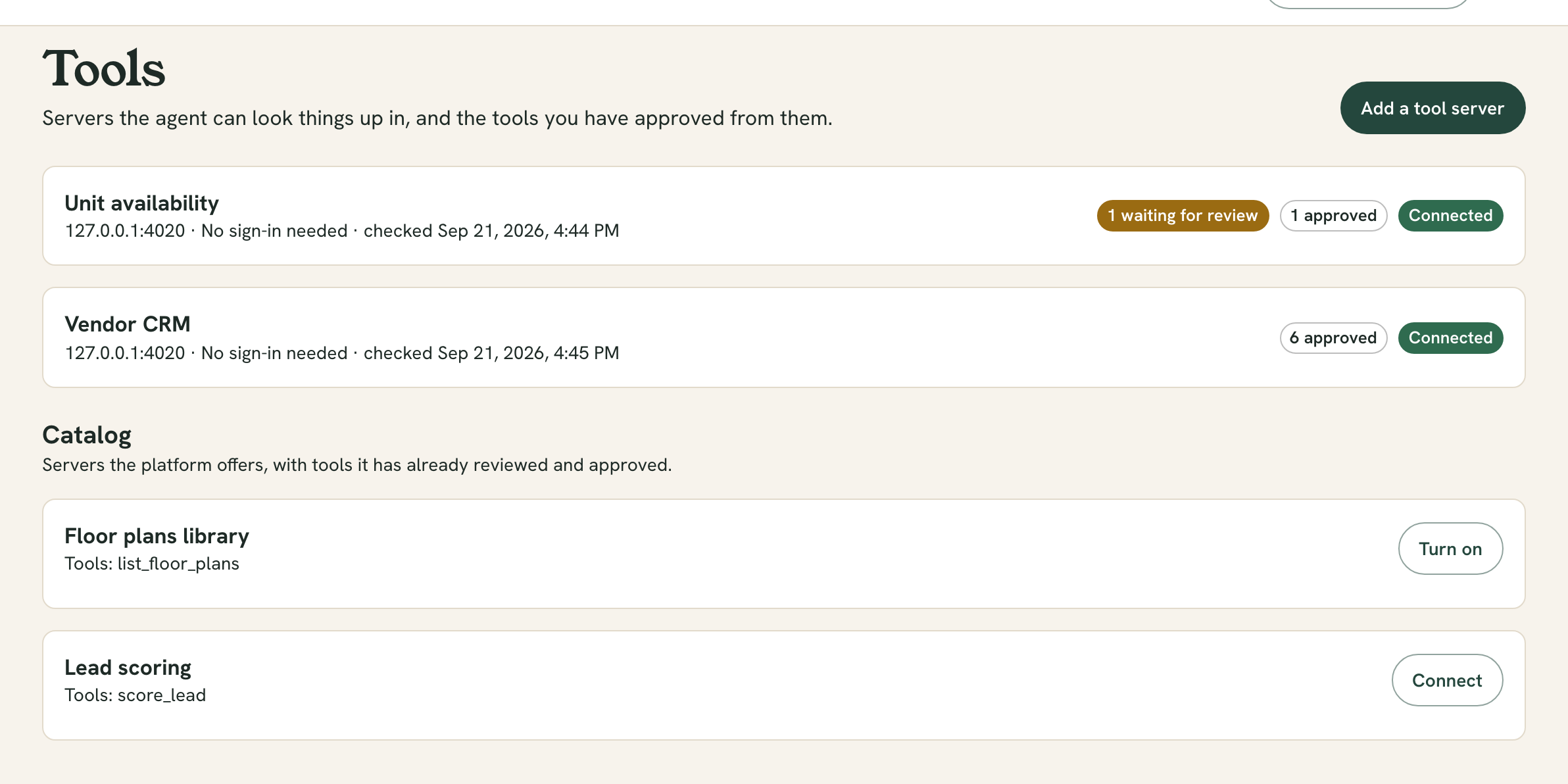
Connect an MCP server (your inventory system, a price list, a lead scoring service) and the agent can use it mid-conversation to answer with today’s facts, not last month’s.
You approve every tool
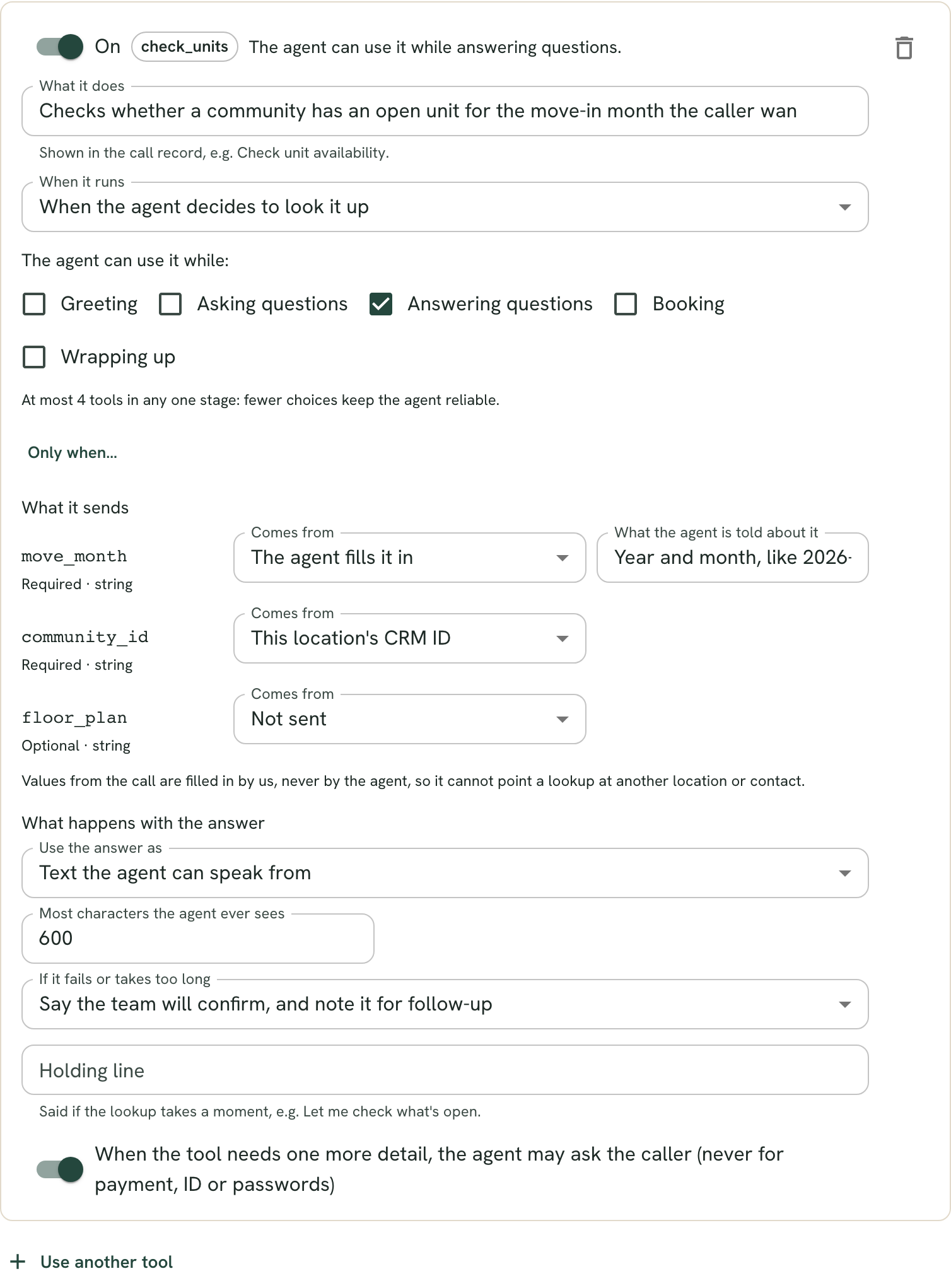
You write what the agent is told about each tool, and whether it only looks things up or makes changes.
Pinned to what you approved
If the server changes a tool after you approved it, that tool stops until you look again.
Code decides when
While answering questions, or at fixed moments: when the call starts, before offering times, after a booking.
Answers are data, not orders
What a tool returns is checked and treated as information. A result that tries to instruct the agent is dropped.
Say it, or keep it for your rules
Open units can be said out loud. A lead score can steer your booking rules without ever reaching the conversation.
Never stops a call
A slow or failing tool is set aside, and you choose what the agent says instead.
AI assistants
Ask your AI assistant about your calls.
AnswerStack is an MCP server too. A member adds it to Claude, ChatGPT or any MCP client, signs in, and chooses exactly what the app may see and for how long.
- Which communities missed the most after-hours calls last week?
- Why did families at Lakeview not book a tour this month?
- What are the open next steps from Thursday’s visits?
- Draft an answer about our new pet policy for the playbook.
Plain-words consent
Reads start ticked, anything that makes changes starts unticked, and the member picks which communities and for how long.
Never more than the person
The app acts as the member who connected it, narrowed to what they allowed.
Drafts, never publishes
An app can edit a playbook draft for a person to review. It can never publish, manage your team or see billing.
Yours to take back
Revoke an app in one click and it stops at once.
It acts as you, and never gets more than you have.
Which communities: every one I can see · For how long: 90 days
Hear it answer for your community
Early access partners get a sample community set up with their own name and tour hours, a call from their own phone, and pilot pricing shaped around the parts they choose.